🤝Promises
What someone said they would do
Spoken Record
Upload audio or video. We write down what was said, keep the times, and turn that into records, documents, and files you can check. No meeting bot. Uploaded files are removed after processing.
Upload a recording
This is the live path. You get a transcript, summary, chapters, and downloads. Specialized toolkit items each have their own page under Tools.
The product
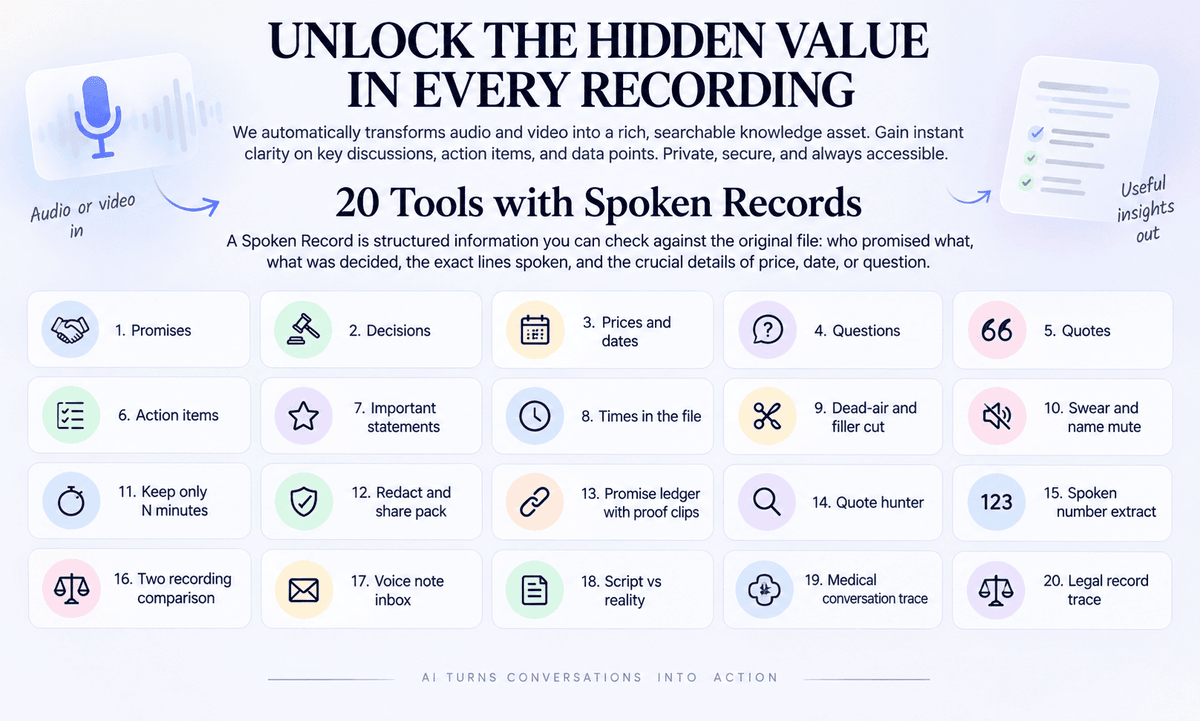
Most tools stop at a smooth paragraph. A Spoken Record is structured information you can check against the original file: who promised what, what was decided, which price or date was spoken, which question was asked, and the exact line. Today you already get a full transcript plus action items and decisions when they were said. Dedicated ledgers, proof clips, and the rest of the toolkit run from the same upload.
What someone said they would do
Choices that were stated out loud
Figures you can put next to an invoice
What was asked, and whether it was answered
The line, not a rewrite
Tasks that were actually spoken
Lines you may need later
Every row can point back to the tape
Toolkit
Each card is live. Open a tool to upload a recording for that workflow, or stay here for today’s transcript and analysis.
Shorten or clean a recording before you share it. These tools return a new file, not only text.
Useful for Creators, teachers, anyone who records themselves
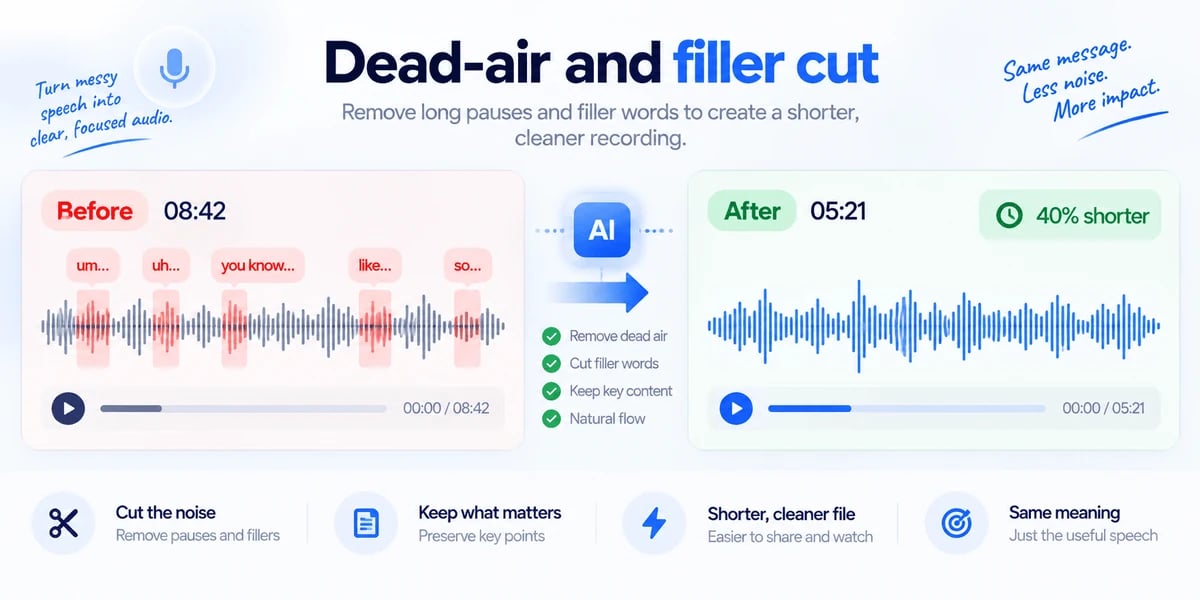
Long pauses and words like “um” make a recording hard to sit through. You upload the audio or video. We find the quiet stretches and those filler sounds, then build a shorter copy with the useful speech kept in order. You download the cleaned file and a simple list of what was removed. Example: a 20-minute talking-head video becomes a tighter cut you can send without opening an editor.
Open this tool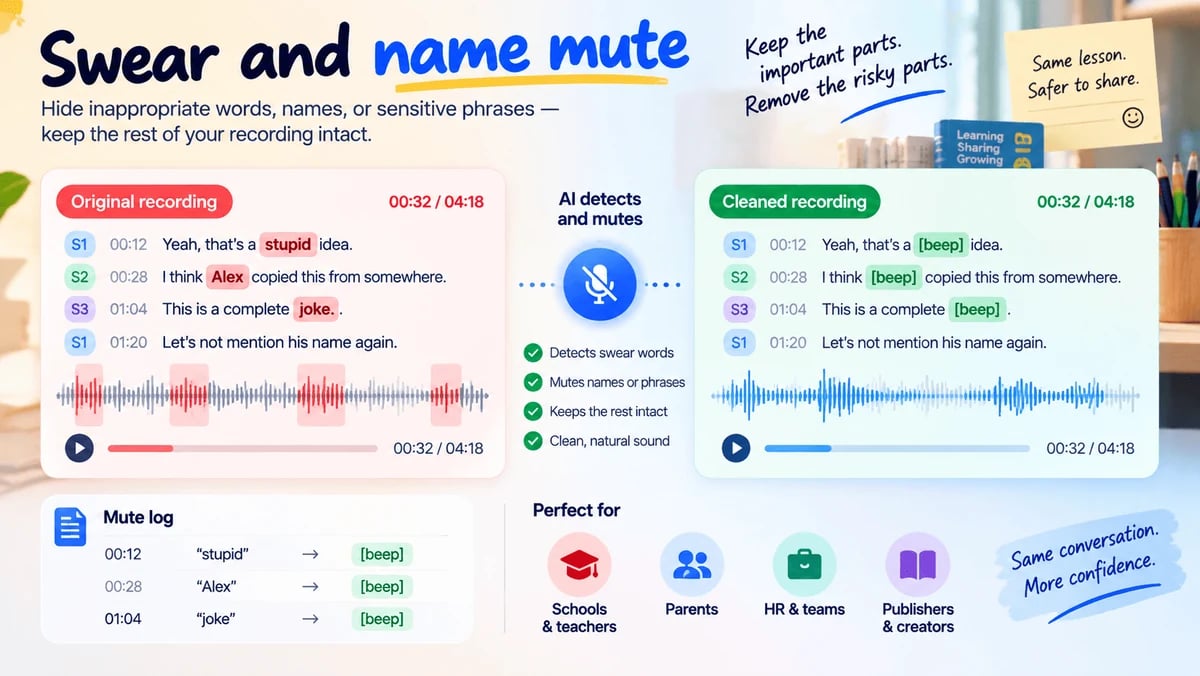
Useful for Parents, teachers, HR, publishers
A recording may be useful except for a few words you cannot publish. You upload the file and, if you want, type names or phrases to hide. We mute or bleep those moments and leave the rest of the recording intact. You get a safer file plus a short log of what was silenced. Example: a classroom clip keeps the lesson and drops a student’s name before you share it with parents.
Open this tool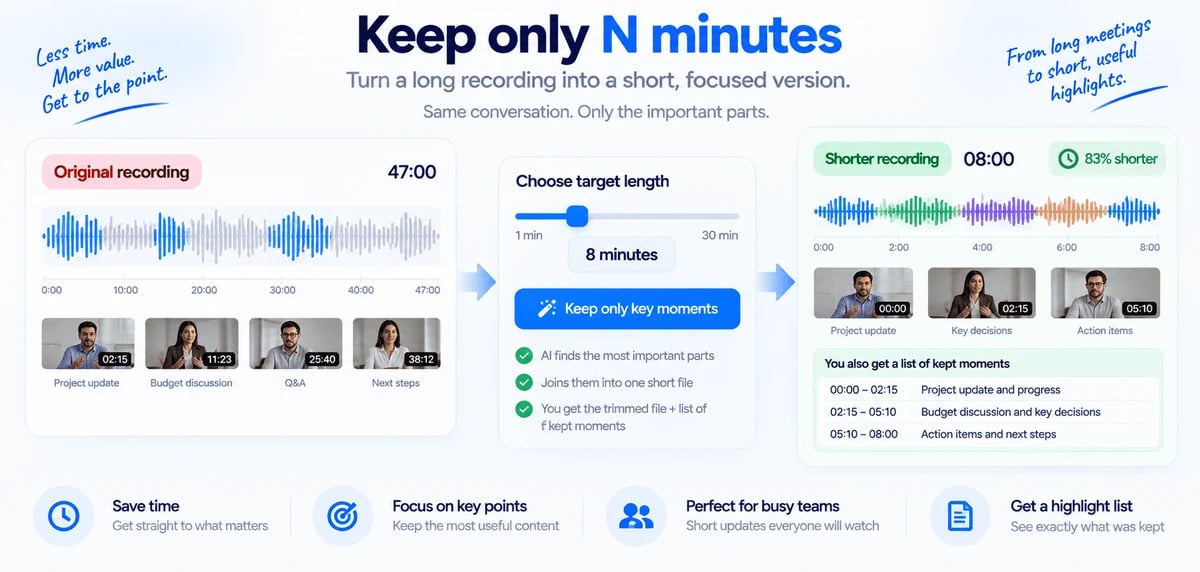
Useful for Managers and anyone short on time
Sometimes you do not need the whole hour — you need the parts that actually matter. You upload the recording and choose a target length, such as eight minutes. We keep the strongest spoken stretches and join them into one shorter audio or video file. You receive that shorter file and a list of the moments that were kept. Example: a 47-minute update becomes an eight-minute briefing your team will actually play.
Open this tool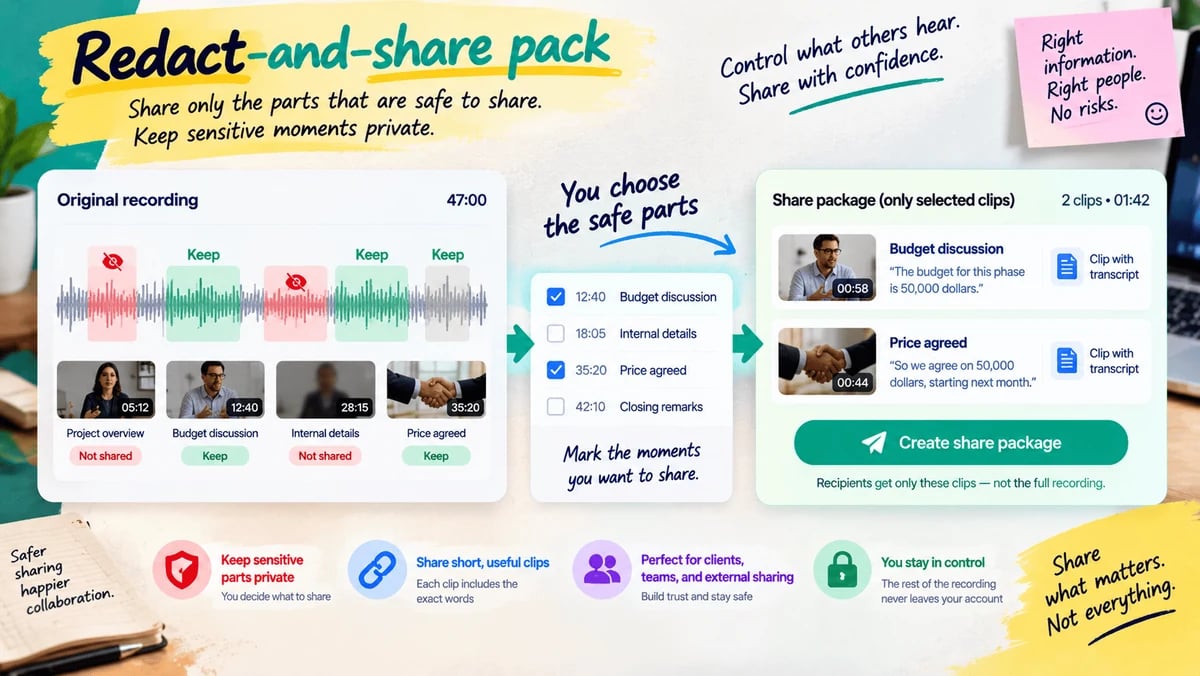
Useful for Anyone who cannot send the full recording
The full file may be too sensitive to forward. You upload the recording and mark the moments that are safe to show. We package only those short clips, each tied to the words that were said. Recipients hear the allowed parts and never receive the rest of the file. Example: you share the 20 seconds where a price was agreed, not the whole client call.
Open this toolTurn speech into a record you can check. Every important line should point back to a time in the file.
Useful for Freelancers, agencies, buyers, founders
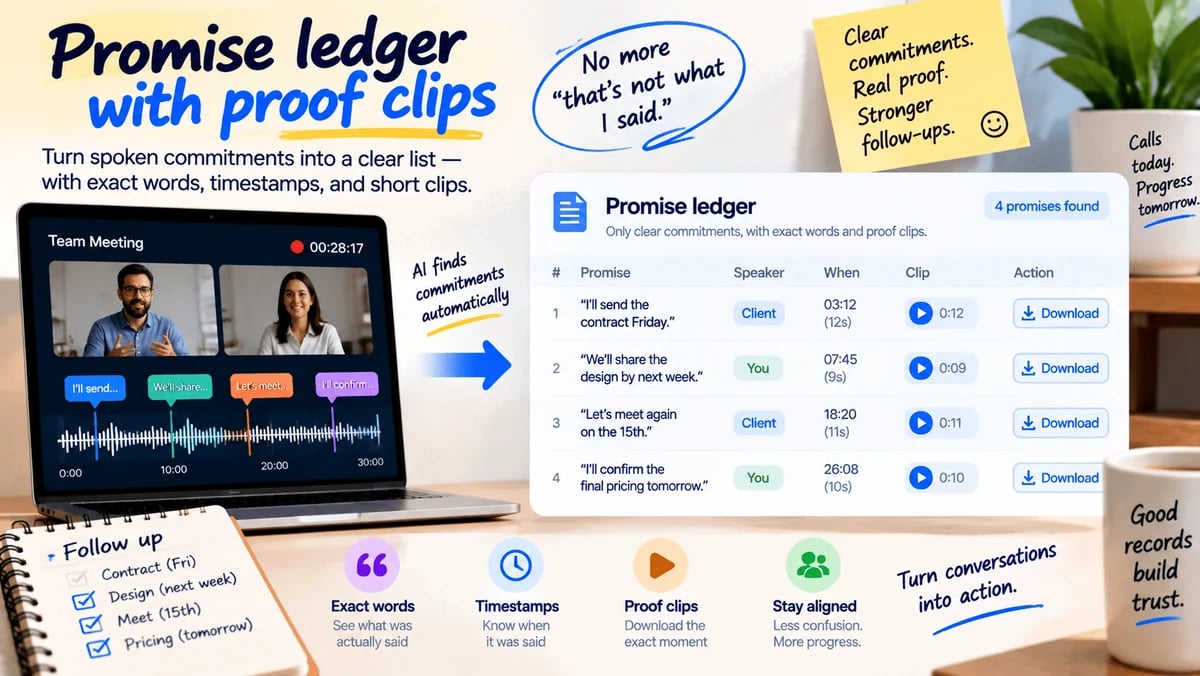
After a call, the argument is often “that is not what I said.” You upload the recording. We list only clear commitments — who would do what, and by when if a date was spoken — with the exact words and the time they were said. You can download a short clip for each promise. Example: “I’ll send the contract Friday” becomes a row you can paste into an email, with the 12 seconds attached.
Open this tool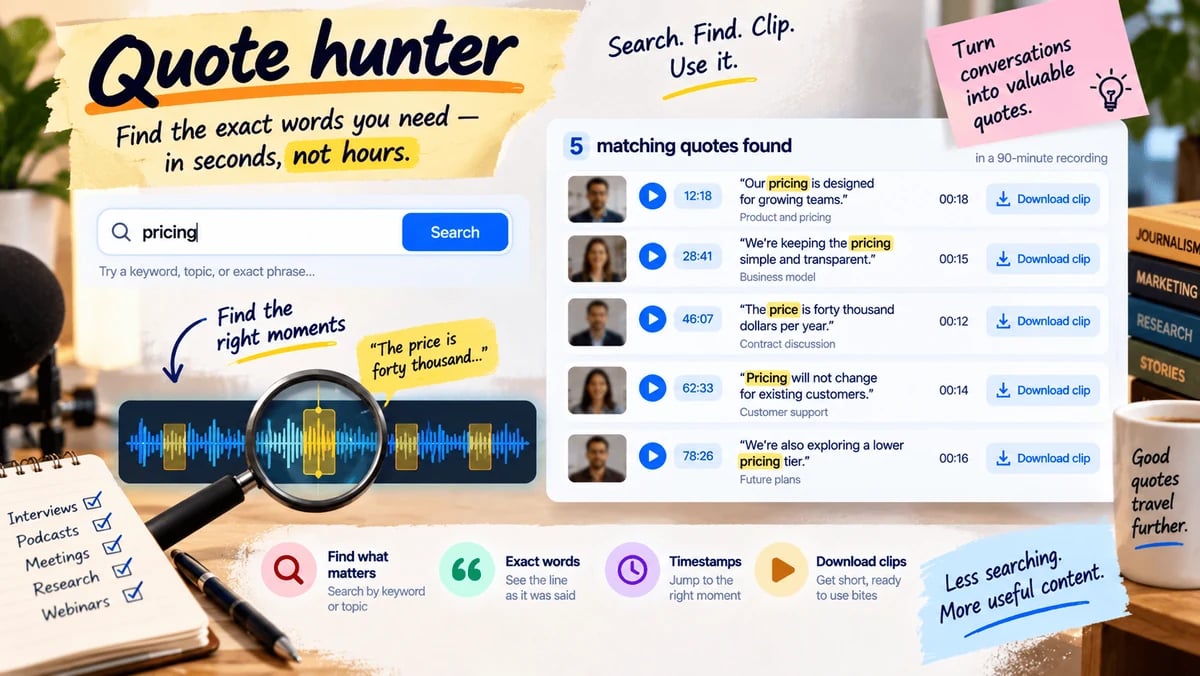
Useful for Journalists, marketers, researchers
You remember that someone said something useful, but you do not want to scrub the whole file. You upload the recording and type a phrase or topic. We find matching lines, show the time for each one, and let you download a short clip of that bite. Example: search “pricing” in a 90-minute interview and leave with five usable quotes instead of a guess.
Open this tool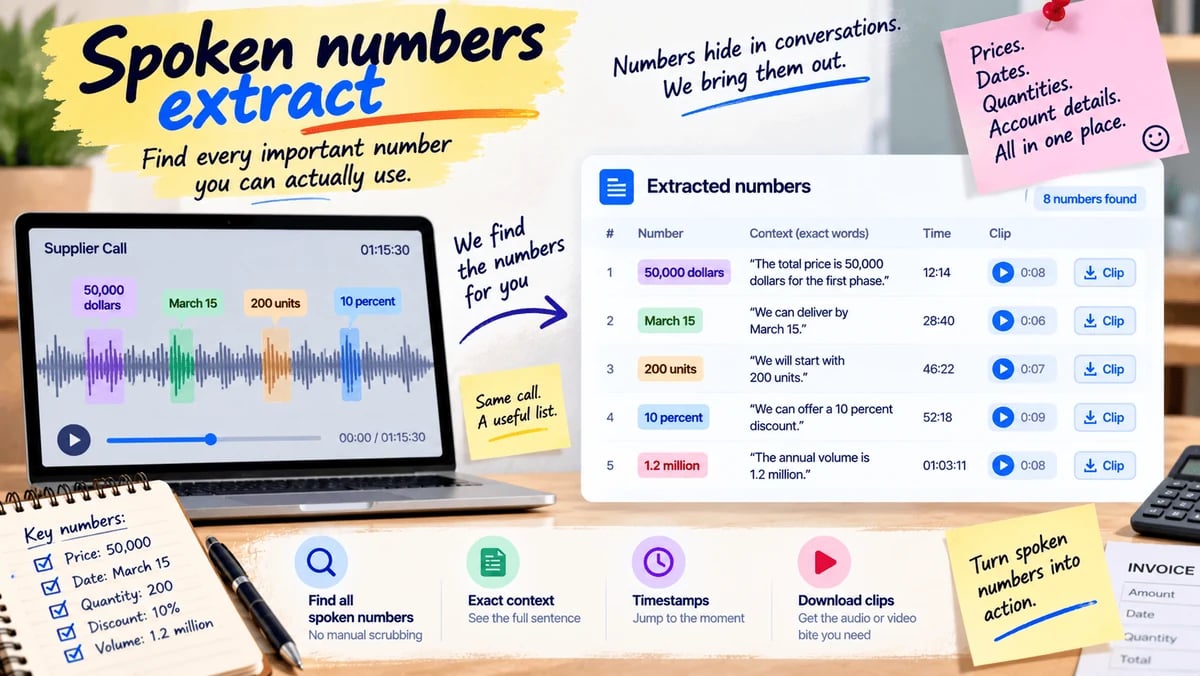
Useful for Ops, buyers, journalists, finance helpers
Prices, dates, quantities, and account-like figures get lost when they are only spoken. You upload the call or voice note. We pull every clear number with the sentence around it and the time it was said. You can download a short clip for a figure you need to check. Example: a vendor call becomes a list of amounts and dates you can put next to the invoice.
Open this tool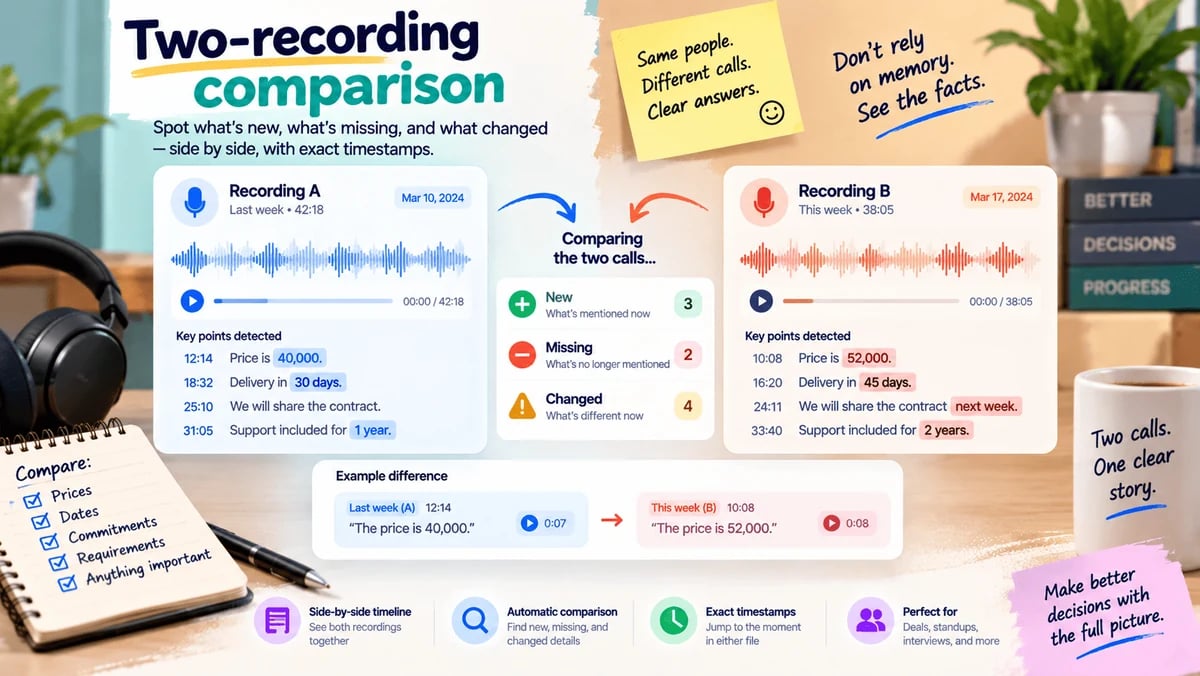
Useful for People in a long deal, weekly standups, second interviews
Two conversations can disagree and you should not have to trust your memory. You upload this recording and the earlier one. We list what is new, what disappeared, and what now contradicts the first file — each with times in both recordings. Example: last week the price was 40,000; this week it is 52,000, and both clips sit on one page.
Open this toolBuilt for messy, everyday speech — short voice notes and mixed-language talk — not only studio files.
Useful for Anyone whose work arrives as voice notes
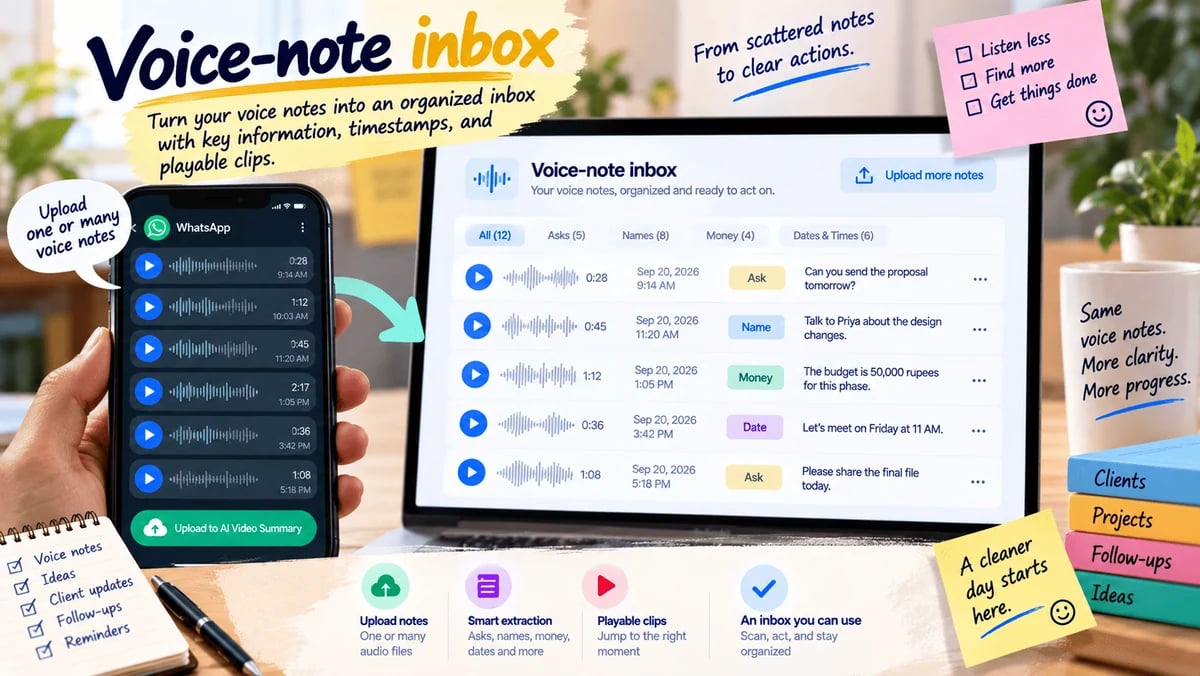
A stack of voice notes is easy to ignore and hard to search. You upload one note or several short audio files from your phone. We turn them into dated cards: asks, names, money, and times that were spoken, each with a playable snippet. You get an inbox you can scan instead of replaying forty messages. Example: a day’s client voice notes become a list you can act on at the desk.
Open this tool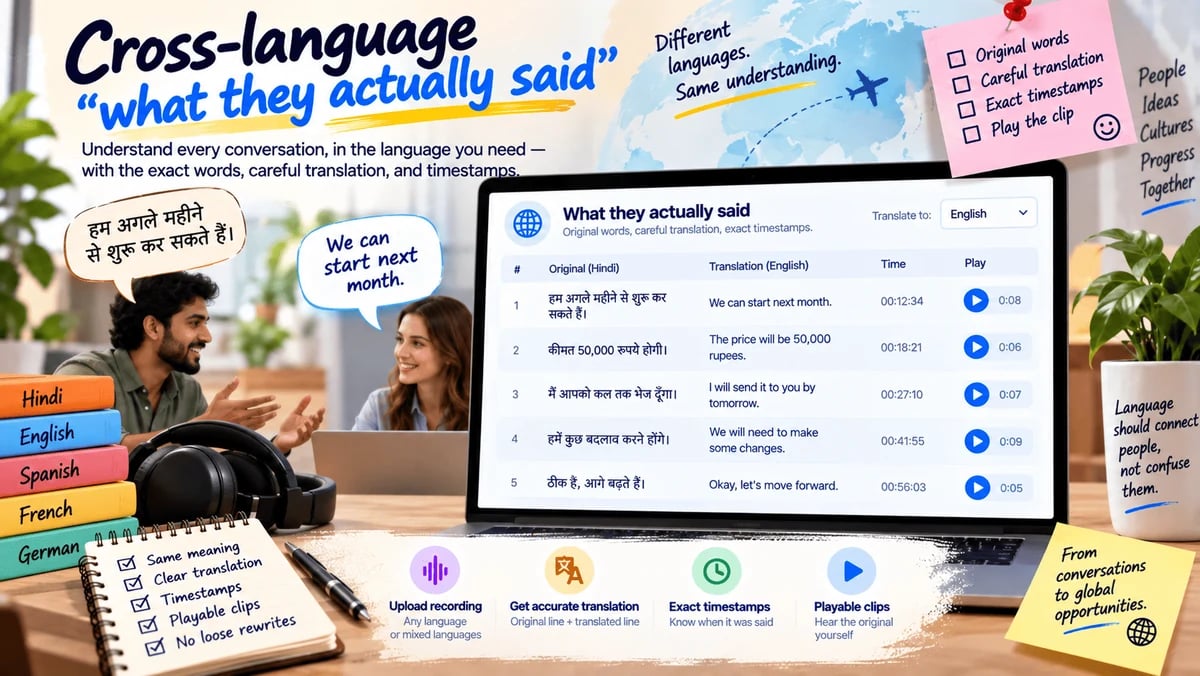
Useful for Mixed-language teams and client work
A call in one language often has to be understood in another — without a loose rewrite. You upload the recording and choose the language you need to read. We show the original line, a careful translation, and the time it was spoken. You can play the clip to check the translation. Example: a Hindi client call becomes an English quote table your teammate can trust.
Open this toolSee what you said versus what you meant to say. Useful before you publish or walk into the next attempt.
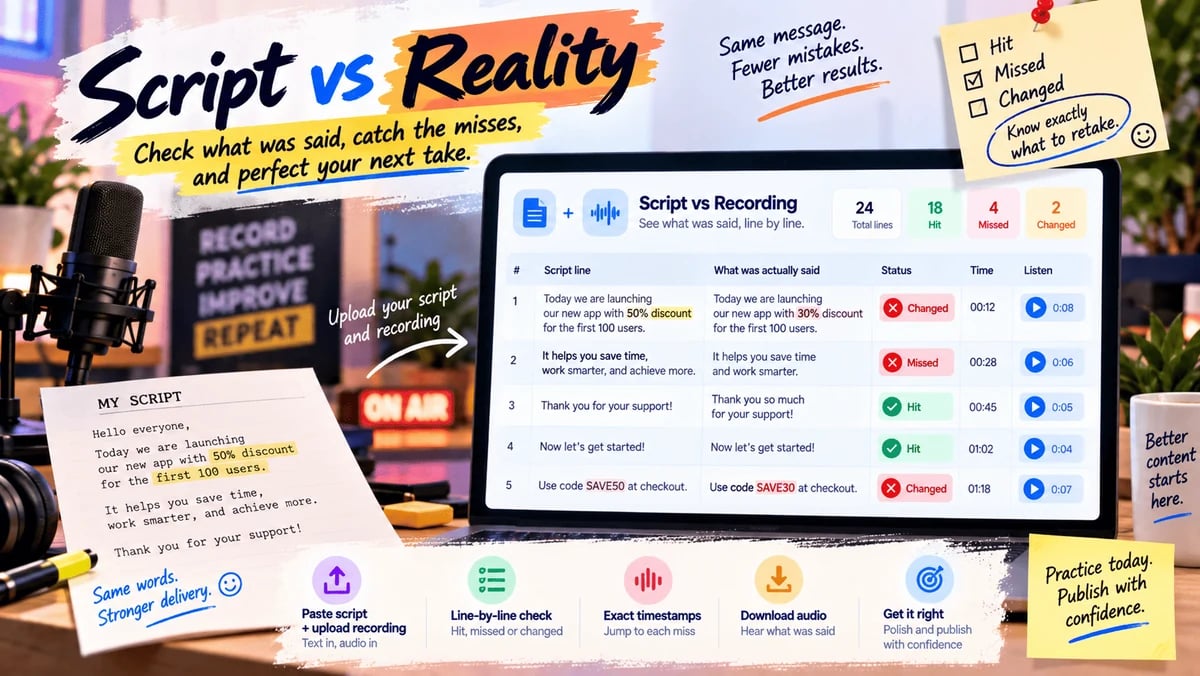
Useful for Creators, presenters, students practicing a viva
The written lines and the take often drift — a wrong price, a missed name, an extra sentence. You paste the script and upload the recording. We mark lines as hit, missed, or changed, and point to the time of each miss. You can download the audio of a miss so you know what to retake. Example: an ad read that swapped the discount is caught before it goes live.
Open this tool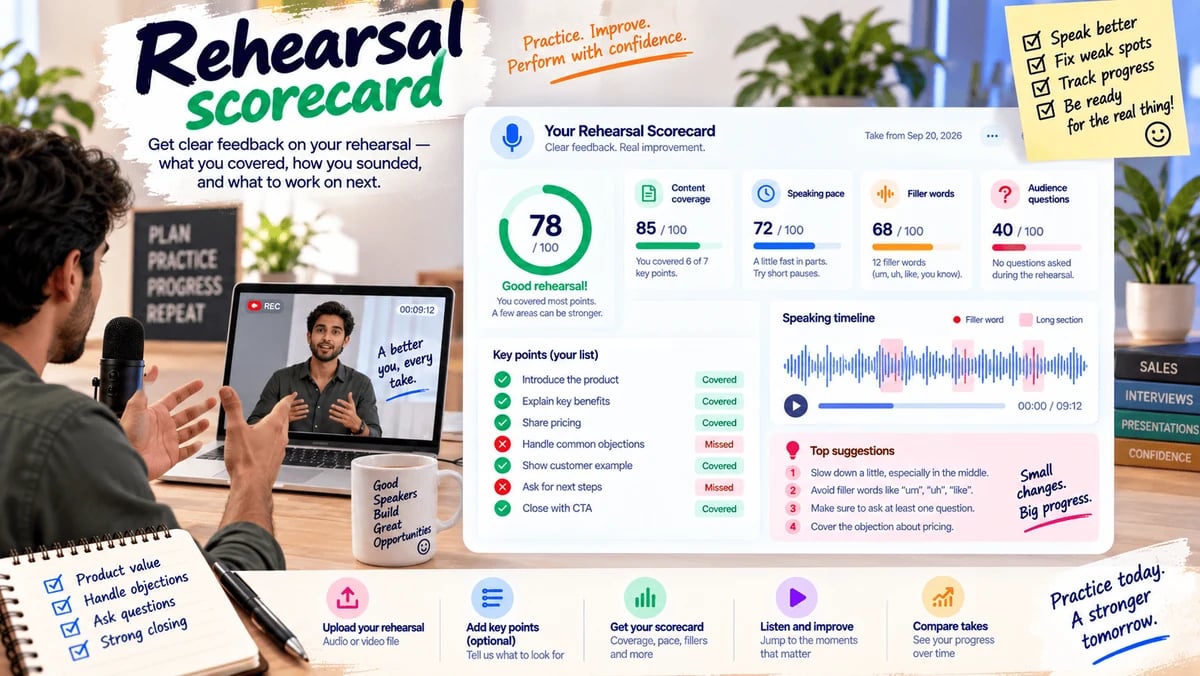
Useful for Sales practice, interviews, talks
Practice only helps if you can see what to fix. You upload a rehearsal and, if you want, paste a short list of points you meant to cover. We score coverage, pace, filler habits, and questions you never answered. You get a simple scorecard you can compare with last week’s take. Example: a pitch rehearsal shows you talked for nine minutes without asking a question.
Open this tool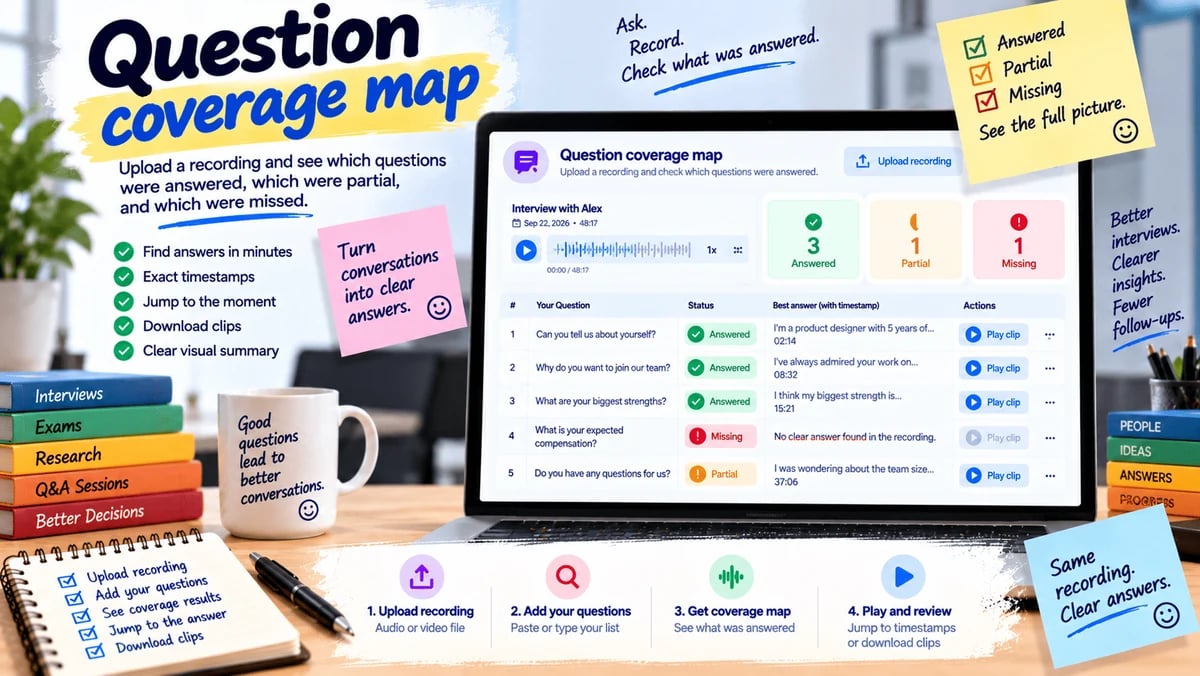
Useful for Hiring, oral exams, AMAs, research interviews
You had five questions. Did the recording actually answer them? You paste the questions and upload the file. We mark each one answered, partial, or missing, with the time of the best attempt. You can jump to that moment or download the clip. Example: after a candidate interview you see that compensation was never discussed.
Open this toolTurn a recording into a document someone else can use — a procedure, a help article, a ticket, a check.
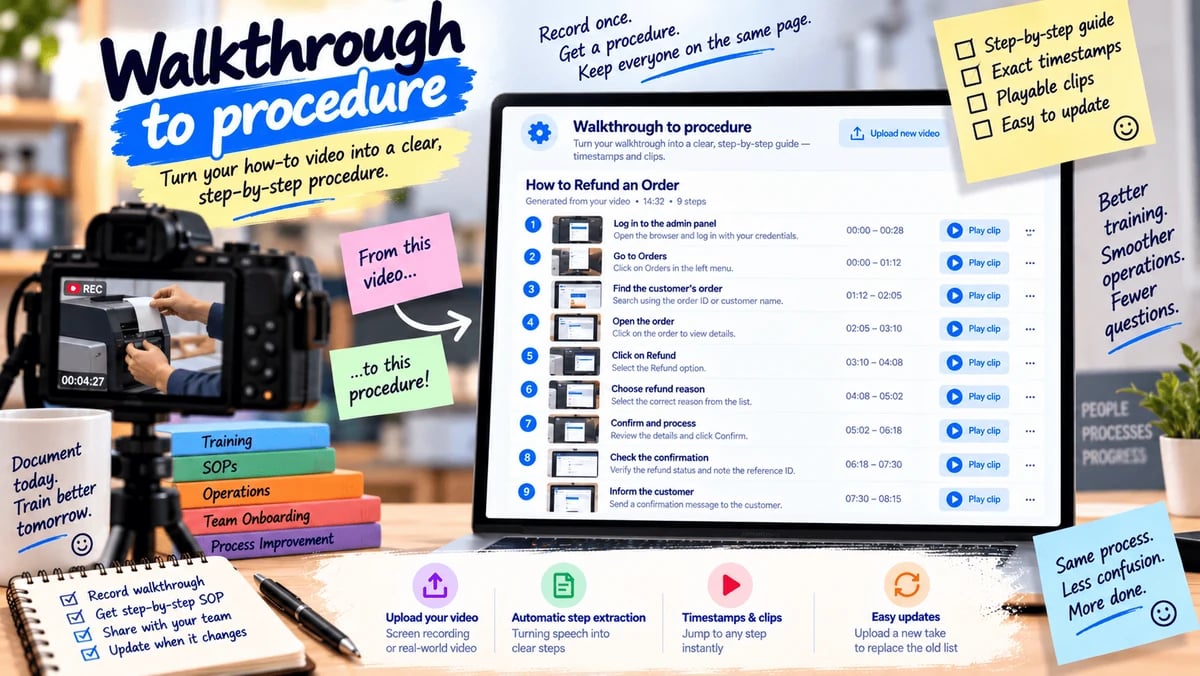
Useful for Trainers, operations, anyone filming a how-to
A screen recording or shop-floor video is a poor handbook. You upload the walkthrough. We turn the spoken steps into a numbered procedure, each step with a time and a short clip. When the process changes, you upload the new take and replace the old list. Example: “how we refund an order” becomes a one-page procedure instead of a 14-minute video.
Open this tool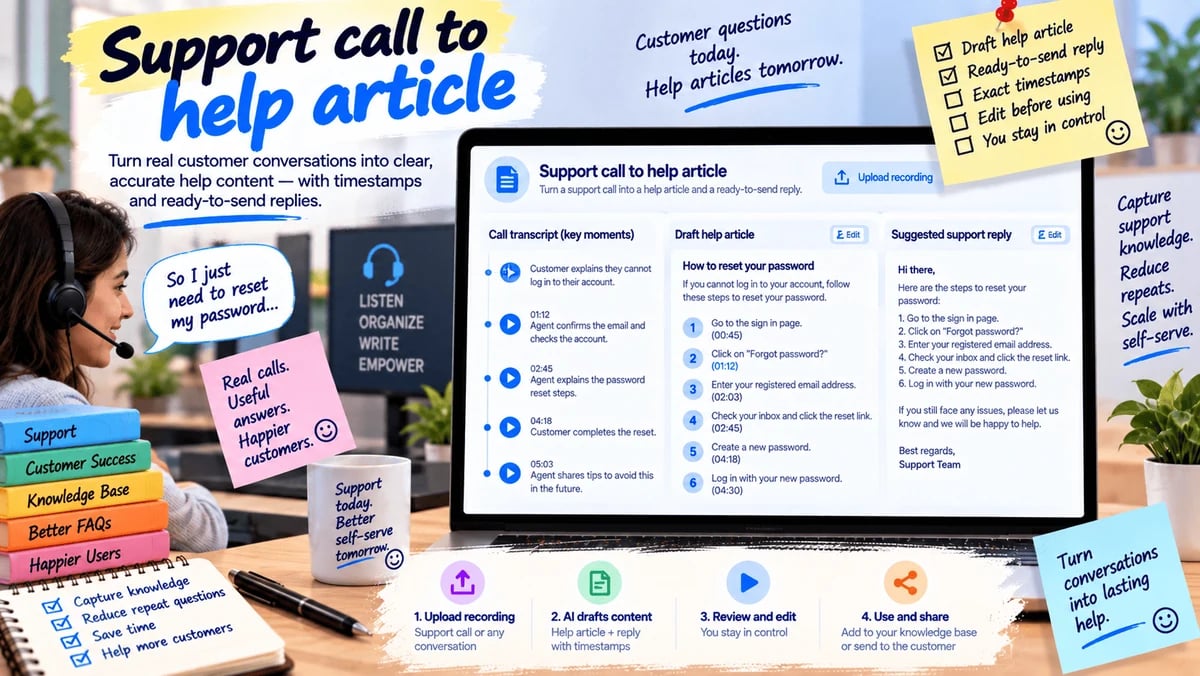
Useful for Support and success teams
The same problem is explained on calls and never written down. You upload a support recording. We draft a help article and a short reply the next agent can send, each claim tied to a time in the call. You edit the draft; we do not publish it for you. Example: a password-reset call becomes an internal article with the exact steps the agent used.
Open this tool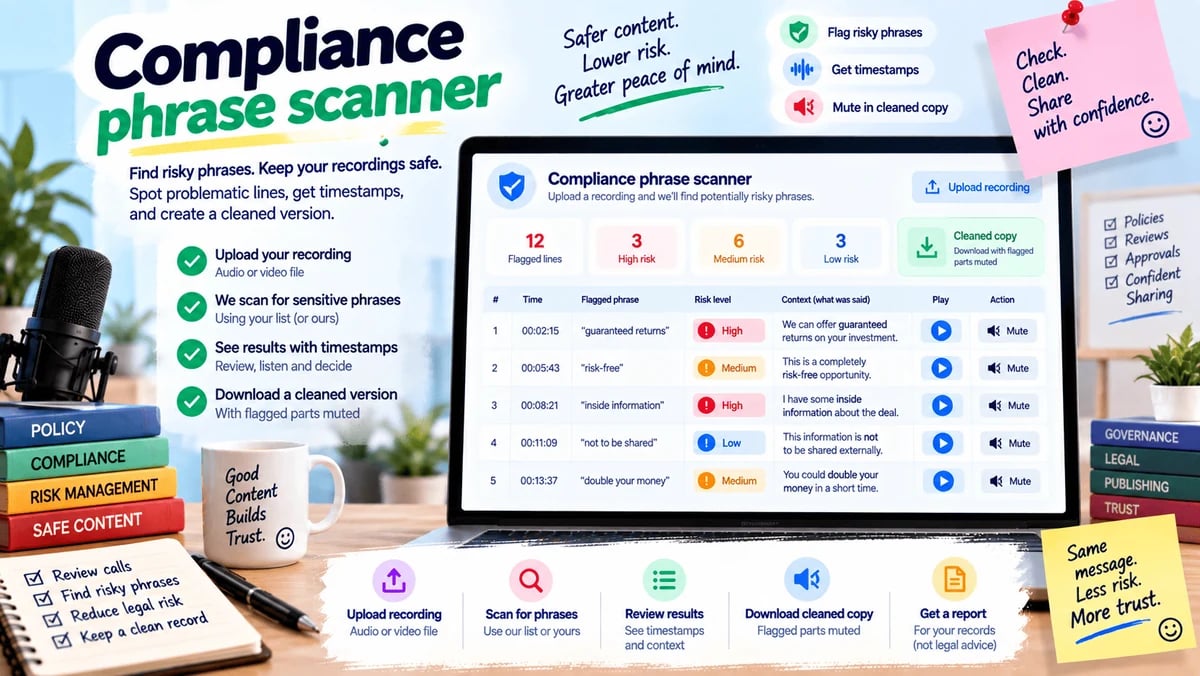
Useful for Regulated teams and careful publishers
A few forbidden phrases can make a recording unsafe to keep or share. You upload the file and, if you want, add phrases your team watches for. We flag those lines with times and can mute them in a cleaned copy. You get a report, not a legal opinion. Example: a sales call is checked for “guaranteed returns” before it is filed.
Open this tool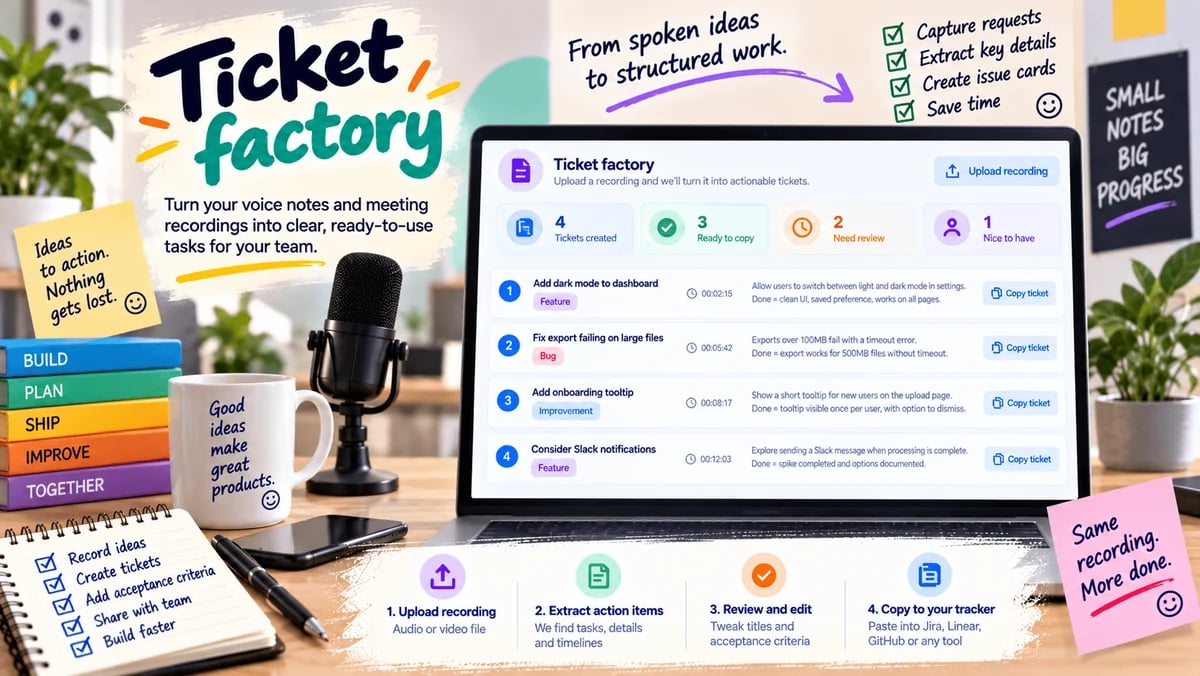
Useful for Builders and product teams
A rambling voice dump often hides three real tasks. You upload the recording. We turn spoken requests into issue cards: a title, what “done” would mean, and the time it was asked. You copy them into your tracker. Example: a founder voice note becomes four tickets instead of a forgotten five-minute file.
Open this toolUse the recording as the source of questions, not as a pile of notes you never reopen.
Useful for Teachers and students
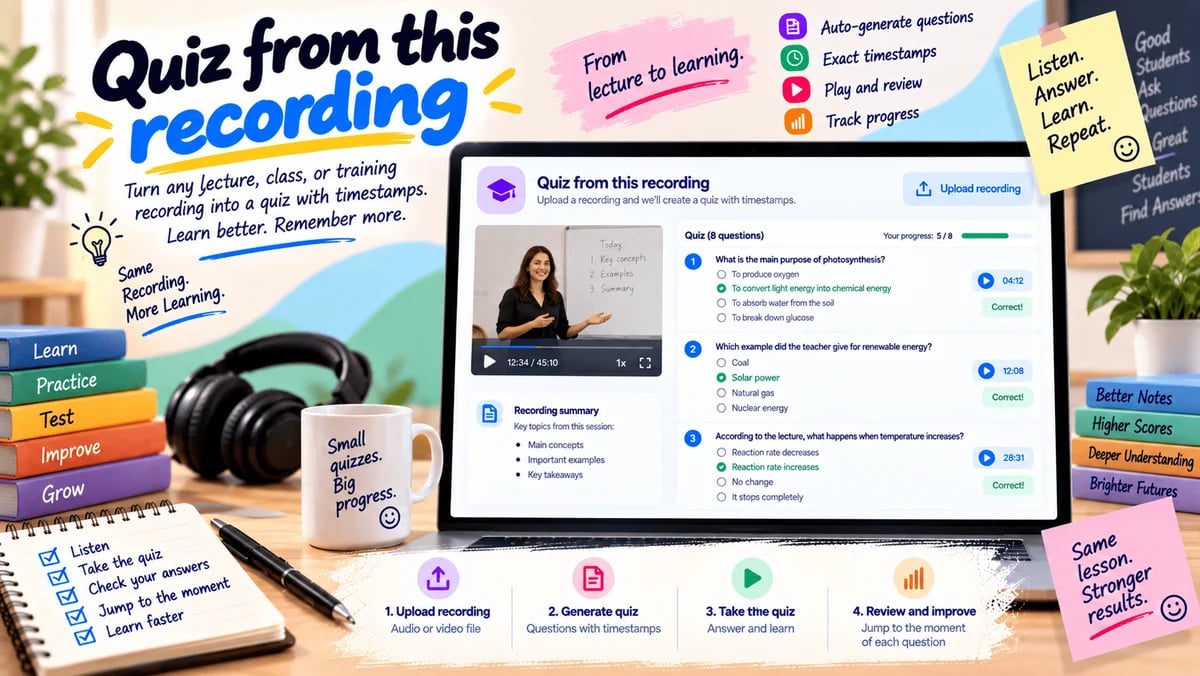
Listening is not the same as checking what you learned. A teacher uploads the class recording. We draft questions that can only be answered from that file, each one pointing to the moment in the lesson. Students can take the quiz here; a missed answer can jump back to the source. Example: Thursday’s lecture becomes Friday’s short quiz, with every item tied to the recording.
Open this toolTrace what was actually said in sensitive conversations. These tools organize speech with times and speakers. They do not diagnose, and they do not decide a case.
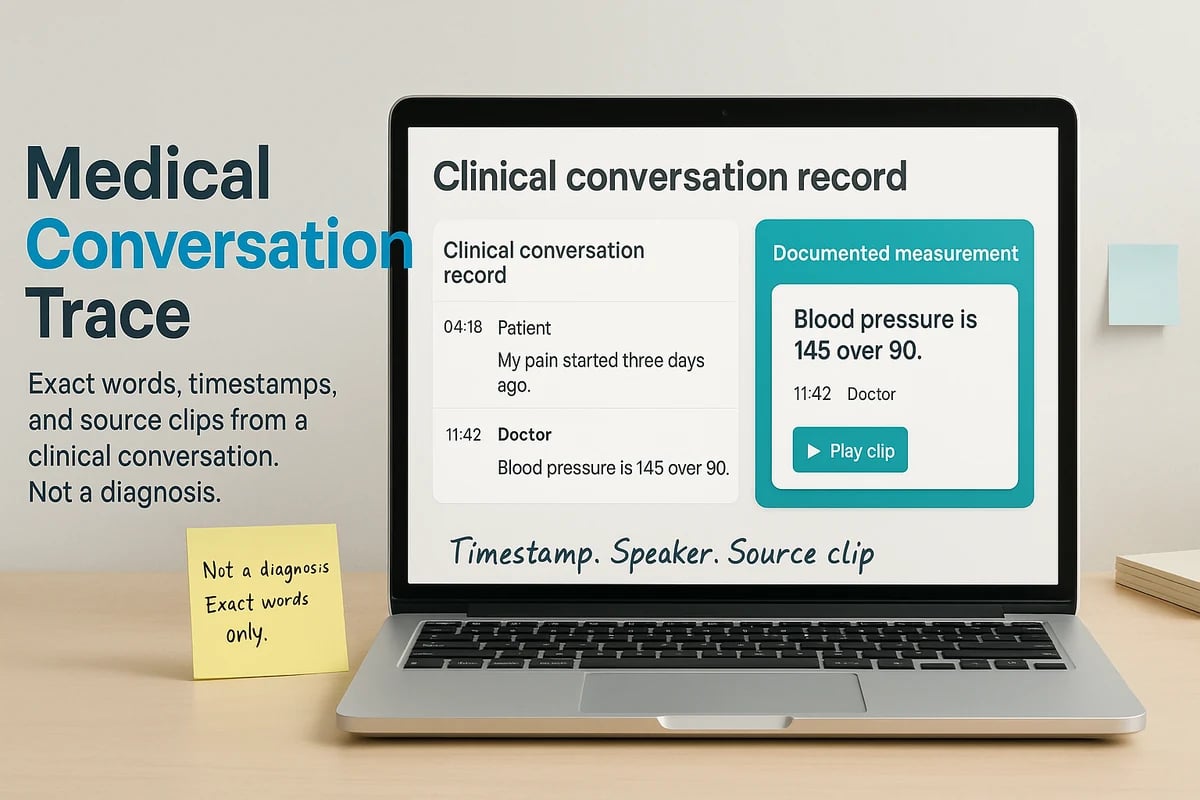
Useful for Clinicians and care teams reviewing a recorded visit
A visit recording can hold symptoms, measurements, medicines, questions, and instructions that are hard to find later. You upload the audio or video. We transcribe it, label speakers only when that is clear, and list what was actually said with the time it was said. You can jump to that moment or play a short clip. This is a conversation record, not a diagnosis. Uncertain speech stays uncertain. If a line cannot be found in the transcript, it is not shown.
Open this tool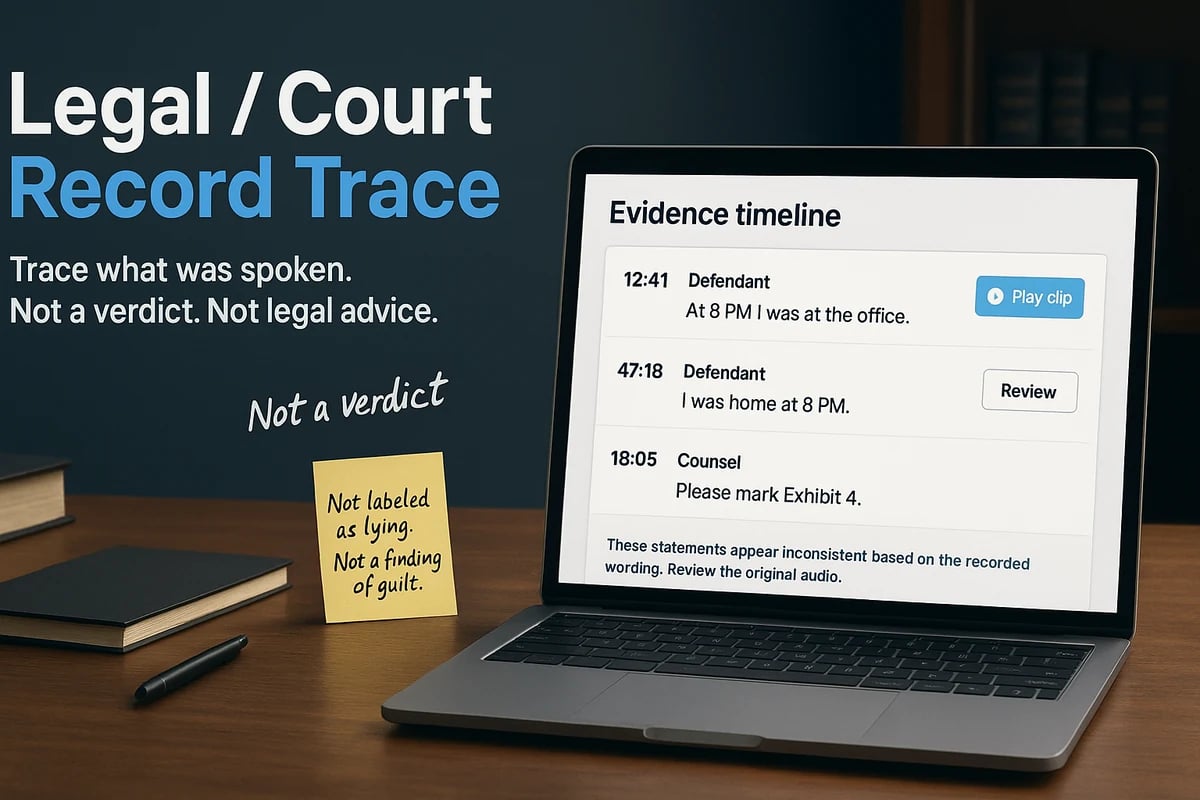
Useful for Lawyers, investigators, and teams reviewing a recorded proceeding
A hearing or interview is useful only if you can find the exact words later. You upload the recording. We transcribe it, keep speaker turns, and list statements, questions, objections, spoken rulings, exhibit mentions, and numbers with times. If two lines by the same speaker appear inconsistent, we flag them for review — we do not say anyone is lying. This is a trace of the recording, not legal advice, not a verdict, and not a claim that anything is admissible.
Open this toolWe treat the recording as the source. First a transcript. Then understanding. Then a time in the file. Then a useful output. Later, an optional short clip of that moment. If a claim cannot be tied back to the recording, it should not be presented as fact.
You upload audio or video from your device.
We write down the speech before anything else.
Lists and write-ups are based on that transcript.
Important lines keep the time they were said.
A record, document, quiz, or file you can take away.
Where the tool produces a short file, you can download those seconds.
Same upload. Different job. These are situations, not customer logos.
Keep prices, dates, and promises as quotes you can send back the same day.
Find the line you need and keep the time it was spoken, for writing or research.
Turn a pile of short phone messages into a list you can scan at a desk.
Leave with decisions and follow-ups that still point at the recording.
Pull quotes and a readable transcript from an episode you already recorded.
Study from what was actually said, with times you can jump back to.
Turn a walkthrough into steps people can follow without rewatching the whole file.
See what was offered, asked, and agreed — then check the moment if needed.
Capture the fix once so the next person does not have to hear the same story.
Get a transcript, chapters, and files you can caption or edit from.
Keep quotes grounded in the tape instead of a rewritten paraphrase.
Available today
The general upload still gives a transcript, summary, chapters, highlights, actions, and chat. Each toolkit card now has its own workflow on top of that same path.
A cleaned, timestamped reading of the recording. This is the source of truth, not the AI write-up.
A short executive brief and a tighter write-up of the transcript. It runs only after real speech-to-text exists.
A timed outline of the recording so you can skip to a section instead of guessing.
A small set of notable moments with times you can click through on the results page.
Tasks that were actually spoken. If none were found, the list stays empty.
Clear choices that were stated in the recording. We do not invent a decision that was not said.
Ask a question and get an answer drawn from the transcript, with times you can jump to.
Registered, verified accounts can download SRT, VTT, TXT, Markdown, JSON, and a simple PDF.
We never sit in Zoom, Meet, or Teams. You record on your side and upload the file when you are ready.
The product starts from a file on your device. There is no YouTube URL box and no browser login to another site.
The original audio or video is used to transcribe and analyze, then removed. It is not stored as a media library.
The server already deletes leftover temp files on a schedule. Text results stay on your job page under your account rules.
Answers about AI video summaries, audio and video transcription, timestamped recordings, Spoken Records, and the 20 recording workflows.
An AI video summary is a short write-up of speech that was actually heard in a file you upload, not a guess from the title. You add audio or video from your device. Speech-to-text runs first and produces a transcript. Only after that transcript exists does the site write a summary of the recording. That is how this AI video summarizer and audio summarizer work: video to text or audio to text, then a recording summary you can check against the lines. There is no meeting bot and no fetch from other websites. If nothing usable was heard, the job stops and nothing is invented. Start on the home-page upload, or read how a Spoken Record differs from a generic AI summary.
Yes. Upload a video or audio file and the site runs speech to text, so you get video transcription or audio transcription as a readable transcript. That covers meetings, calls, interviews, lectures, and podcasts when the speech is in the file. The home-page job is upload-only: MP4, MOV, or WEBM video, or MP3, M4A, or WAV audio, from your device. We support only English, Hindi, Spanish, French, Chinese, Russian, and Arabic; other languages stop after a short audio check. We do not pull files from other sites. If speech-to-text returns no usable lines, we do not invent a transcript. After the text exists you also get a summary, chapters, and chat that answers from those lines. A walkthrough of a meeting file is in How to transcribe a meeting recording.
AI Video Summary currently supports recordings in 7 languages: English, Hindi, Spanish, French, Chinese, Russian, and Arabic. You can upload an audio or video recording in any of these supported languages for transcription and AI video summary processing. Speech-to-text on the home-page upload and on toolkit workflows that need a transcript first is built for these seven spoken languages only. Upload the file in the language that was actually spoken in the recording. If the speech is outside that set, the job stops after a short audio check instead of guessing a transcript. After a successful run you get a timestamped transcript, summary, chapters, and the rest of the Spoken Record from those lines. File types such as MP4, MOV, WEBM, MP3, M4A, and WAV are separate from this language list.
Yes. After your transcription is generated, you can use the Translate feature to translate your transcription into your preferred language. On the results page, open the Transcript tab, select your target language from the language list, and click Translate. The cleaned transcript is translated as one readable block on the same page. This is a one-time process. Carefully choose the language before translating your transcription. Each transcription allows one successful translation only; you cannot translate the same job again into another language after that. Failed translation attempts do not use your one-time allowance. This feature is not a subtitle export and not the same as the cross-language toolkit page.
Yes. The transcript keeps times on the spoken lines, so a timestamped transcript is the default result, not an extra mode. You can jump to a moment on the results page instead of scrubbing the whole meeting, interview, or lecture. Those times are what later lists hang on: quotes, numbers, promises, quiz items, and flagged phrases. If a claim cannot be tied to a line in the recording, it should not appear as a finding. Caption-style downloads such as SRT and VTT are available after you register and verify your email. Why timestamps matter in a transcript explains the same idea in more detail.
A Spoken Record is structured, timestamped information taken from the recording: what was promised, what was decided, which price or date was spoken, which question was asked, which quote to keep. It is not a smooth rewrite you cannot check. The transcript is the source of truth. The AI write-up runs only after real speech-to-text exists. Empty lists stay empty when nothing matching was said. That is the difference between this product and a generic meeting summary that reads fluently but points nowhere. Use the home-page upload for the full Spoken Record, or read Spoken Record vs a generic AI meeting summary.
You can turn a recorded meeting, recorded interview, or recorded lecture into text you can search, then into a summary, chapters, highlights, spoken action items, and spoken decisions. Chat answers from that transcript and can jump to the time. When you need one job instead of the full Spoken Record, open a toolkit page: quotes from an interview, numbers from a vendor call, a shorter briefing from a long standup, a quiz from a class, or a procedure from a walkthrough. You record on your side and upload the file. There is no Zoom bot. Start with how to transcribe a meeting recording, studying from a recorded lecture, or the interview recording workflow for writers.
Yes. A long file still goes through speech-to-text first. The summary is a short brief of that transcript, not a montage invented from the filename. You also get chapters so you can skip to a section, and highlights with times you can click. If you need a shorter audio or video file that people will actually play, that is a different job: Keep only N minutes keeps the strongest spoken stretches up to a length you choose. If the problem is dead air rather than length, use Dead-air and filler cut. For a written recording summary only, the home-page upload is enough.
Upload the interview, podcast, or call and type a phrase or topic. Quote hunter searches the transcript: an exact line wins first; otherwise a line can match if enough of your words appear in it. Each hit keeps its time so you can extract quotes from video or extract quotes from audio without guessing the minute. You can download a short clip of that bite while temporary processing storage lasts. The tool does not invent a punchier sentence. Empty means those words were not in the transcript. Writers can also follow the interview recording workflow or find quotes in an interview with timestamps.
Yes, when the figure was actually spoken. Spoken numbers extract lists lines that contain spoken numbers, spoken prices, spoken dates, percentages, and other number-like speech, with the sentence and the time. You can open a short clip to hear the figure in context. “A lot” or “the usual amount” will not appear. Years and street numbers can show up too if they look like numbers; ignore those when they are not the fact you need. The tool does not convert currency or add a total. That is how you extract information from a recording when the fact lived only in speech. A longer walkthrough is extract spoken prices, dates, and numbers.
Yes, when someone said a clear commitment. Promise ledger lists “I will” / “we will” style promises and commitments with the exact words, the time, and an optional proof clip. “I’ll send the contract Friday” becomes a row you can paste into a follow-up. Vague mood (“we should circle back”) is not treated as a promise. If no commitment was heard, the ledger stays empty. This is not a project manager and it does not nag anyone. Pair it with spoken numbers when the promise includes a price or date. See keep a promise ledger from a client call.
Yes. Two-recording comparison needs both files: the newer recording first, the earlier one second. It transcribes each file, then lists changed figures, lines that are new, and lines only in the earlier file, with times from both sides. That is how you compare two recordings, compare audio recordings, or compare video recordings when last week’s price was 40,000 and this week it is 52,000. It does not decide who is telling the truth. Rephrases can look new. Unrelated files produce noise. Compare two recordings when the story changes walks through a typical pair.
Yes. Voice-note inbox is voice note transcription for a stack of short phone files, not only studio audio. Upload one note or up to eight in one job, including WhatsApp-style OGG or OPUS. Each file is transcribed. Cards prefer request-like lines; if none appear, the first spoken lines become the card. Number-like lines from that note can attach as extra. You scan an inbox instead of replaying forty messages. A twenty-minute ramble that is secretly four tasks belongs in Ticket factory instead. More context: turn voice notes into an inbox you can scan.
You can transcribe the speech that is in the file, then ask for a line-by-line translation you can check. Cross-language “what they actually said” needs the recording and the language you want to read — for example English, Hindi, or Spanish. Each row keeps the original quote, a translation, and the time. You can play the moment instead of trusting a loose rewrite. This is not a subtitle file, not a certified translation, and not a replacement for an interpreter. Translation runs on a limited stretch of cues. If translation cannot run, original lines and times still show. See mixed-language calls: what they actually said.
Yes. Paste the written lines and upload the take. Script vs delivery scores each script line against the transcript: hit, changed, or missed, with a time on the miss. That is a script vs recording check for an ad read, a viva, or a talk — a swapped discount or a missed name shows up when those words were in the script and not in the nearest cue. Extra ad-libs that were never in the script do not get their own rows. You can download a short clip of a changed or missed line when a clip can be cut. Compare a script with what you actually said is the longer note.
Yes. Upload a practice take to Rehearsal scorecard. You can optionally paste points you meant to cover, one per line. The page scores coverage, pace, filler habits, and questions you never asked, so rehearsal analysis is a scorecard you can compare with last week, not a grade. Leave the point list blank and those other scores still run. This is for sales practice, interviews, and talks, not a published performance review. Score a rehearsal before the next take shows a typical pass.
Yes. Paste the planned questions, one per line, and upload the session. Question coverage map marks each question answered, partial, or missing, with the time of the best attempt and a clip when one can be cut. That is interview question coverage from the recording, not a score of the candidate. A multi-part question may mark answered if a strong part matches. Follow-ups you did not paste are ignored. We do not invent an answer. Hiring and oral-exam notes are in map which interview questions were answered.
Yes. Upload the how-to or screen recording to Walkthrough to procedure. Spoken steps become a numbered procedure — video to SOP — each step with a time and a short clip. That is a walkthrough to procedure you can hand to someone who will not rewatch a 14-minute video. When the process changes, upload the new take and replace the old list. This is not a polished handbook writer; unclear speech stays unclear. Turn a walkthrough into a written procedure is the field note.
Yes. Upload the support recording to Support call to help article. The site drafts a help article and a short reply the next agent can send, with claims tied to a time in the call. You edit the draft. We do not publish it for you. A password-reset call can become an internal article with the steps the agent actually used. Thin or noisy calls produce a thinner draft. This is support call to help article from one file, not a knowledge-base sync. Read draft a help article from a support call.
Yes, when the recording contains spoken requests. Ticket factory turns those asks into issue cards: a title, what “done” would mean, and the time it was asked. That is recording to tasks or recording to tickets you copy into your tracker. A founder voice dump that hides four jobs is the usual case. A stack of separate phone notes belongs in Voice-note inbox instead. The site does not create issues in Jira or Linear for you. Turn a voice dump into tickets shows the split.
Yes. Upload the class or lecture recording to Quiz from this recording. Questions are drafted only from that file, each tied to a moment in the lesson. Students can take the quiz on the results page; a miss can jump back to the source line. That is a quiz from lecture material, not a gradebook and not a high-stakes exam. Thin files may get timestamp questions. We do not invent facts that were not spoken. Teachers can start from make a quiz from a class recording or studying from a recorded lecture.
Yes. Dead-air and filler cut looks for quiet stretches in the file and filler such as “um,” “uh,” “you know,” and “I mean” in the transcript. Those ranges are cut and the remaining speech is joined in the original order, so you can remove silence from video or audio and remove filler words without opening an editor. You download the shorter file and a list of what was removed. Soft music can hide a pause; a noisy room can hide silence. A mumbled filler that never reached the transcript will stay. Cut dead air and filler words from a recording is the practical pass.
Yes. Swear and name mute silences or bleeps those moments and leaves the rest of the file at the same length. Swears are muted from a built-in list. You can add names or extra phrases, one per line, if you also need to mute names in audio or video. You get a safer copy plus a short log of what was silenced. This is mute swear words, not a cut that shortens the lesson. A classroom clip can keep the explanation and drop a student’s name. Listen once before you share. Mute names and swearing before you share covers the classroom and HR cases.
Yes. Keep only N minutes shortens a long recording to a target length from 1 to 40 minutes (eight is the default). Spoken cues are scored; the strongest stretches are kept until that budget is full, then joined in original order. That is not “the first eight minutes.” Extra weight goes to numbers, commitments, request-like lines, and questions. You download the shorter file and a list of kept moments. If spoken time already fits, the file is left as-is. For silence-only cleanup, use Dead-air and filler cut instead. Keep only the useful minutes of a long recording explains the cut.
Yes. Redact-and-share pack packages short proof clips from the original file. If you describe what is safe to share, matching lines become the pack, up to twelve clips. If you leave notes blank, lines that look like an email, a phone-like number, or a built-in swear are dropped and the rest can still be packed, still up to twelve. Recipients get those clips and a share note. They do not get the rest of the call. Download when the job finishes; temporary clips do not last as a library. Names that were spoken can still slip through. See share proof clips without the full recording.
Yes. Compliance phrase scanner flags watched lines with times and can mute them in a cleaned copy. You may add extra phrases, one per line; a short default list is also checked. You get a phrase report, not a legal opinion and not a claim that the recording is “compliant.” “Guaranteed returns” on a sales call is the usual example. This is not the same as the medical or legal trace tools, which organize what was said rather than watching a phrase list. Scan a recording for phrases you cannot keep is the cautionary note.
You can create a medical conversation transcript of what was actually said, with times and speaker labels only when those turns are clear. Medical Conversation Trace lists symptoms, measurements, medicines, questions, and instructions that appear in the visit recording. You can jump to a moment or play a short clip. It does not diagnose a condition, recommend treatment, or replace a chart or a clinician. Uncertain speech stays uncertain. If a line cannot be found in the transcript, it is not shown. Upload only files you are allowed to process. Trace what was said in a medical visit recording states the same limit.
You can create a legal interview transcript of the words in the file. Legal / Court Record Trace keeps speaker turns and lists statements, questions, objections, spoken rulings, exhibit mentions, and numbers with times. If two lines by the same speaker appear inconsistent, they can be flagged for review. The tool does not provide legal advice, decide who is correct, say anyone is lying, or determine a verdict or admissibility. It is a trace of the recording, not a case file. Trace a court or interview recording repeats that boundary.
On the home page and on most toolkit pages: MP4, MOV, or WEBM video, and MP3, M4A, or WAV audio, uploaded from your device. Voice-note inbox also accepts short phone notes in OGG or OPUS. We do not fetch videos or audio from other sites. Empty files are rejected. Free registered accounts are limited to 5 MB for audio and 20 MB for video. Paid size limits are set on the account and still cannot exceed the server maximum. If the extension is not in that list, the upload stops with an unsupported-type error.
Registered accounts with a verified email can download the Spoken Record as TXT, SRT, VTT, Markdown, JSON, and a simple PDF of the transcription and summary. Toolkit jobs can also produce a cleaned cut, a muted copy, a shorter briefing, share clips, or step clips, depending on the workflow. Those media files are available on the results page while temporary processing storage lasts. Guests can see results after they register and verify; they cannot download the protected text formats until then. The site is not a permanent clip library. If a tool did not create a new media file, you still have the timestamped transcript on the job page.
The uploaded file is kept long enough to transcribe and, if the workflow needs it, to cut or mute clips. It is not stored as a media library. Temporary processing files are removed by the existing cleanup system. Text results stay on the job page under your account history rules. Free accounts keep only the latest processed job. Toolkit clips last only while that temporary storage is still there, so download them when the job finishes. We do not claim a specific encryption standard beyond what the live site already does. Privacy when you upload a recording matches this retention story.
You can process one home-page upload as a guest. A free registered, verified account gets 3 processing jobs per day, including toolkit jobs, with audio up to 5 MB and video up to 20 MB. Toolkit uploads ask you to register and verify before the result is processed. Transcript downloads need that verified email. There is no public checkout. If you need a higher daily limit or larger files, use Contact. Limits are enforced on the server. Free history keeps only your newest job. Creating an account does not add extra free jobs beyond those rules.
Start with a transcript, or open a specialized tool for a ledger, a clean cut, a quiz, or a share pack.